In the Class Content tab, select your program from the
program dropdown menu.
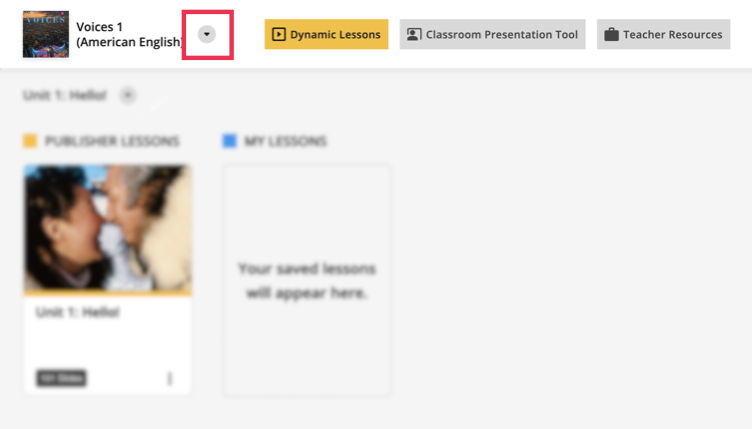
Select the lesson you want.
You can choose Publisher Lessons, or My Lessons, if you have
created a custom lesson.
If you know which activity you want to assign, scroll to that activity and
click the slide.
If you are presenting a lesson, the activities that can be assigned will
display in the tool bar.

Click to launch the activity.
From the Course selection dropdown menu, select the
course you want to assign from.
Click Student selection and select all students, or
individual students to assign the activity to.
Under Activity Settings, select whether you want to save
the activity in the gradebook.
Click Start Activity.
Students are prompted to start the activity in Spark.
For you, an in-progress report page opens in a new tab, where you can
monitor the students' performance in real-time.
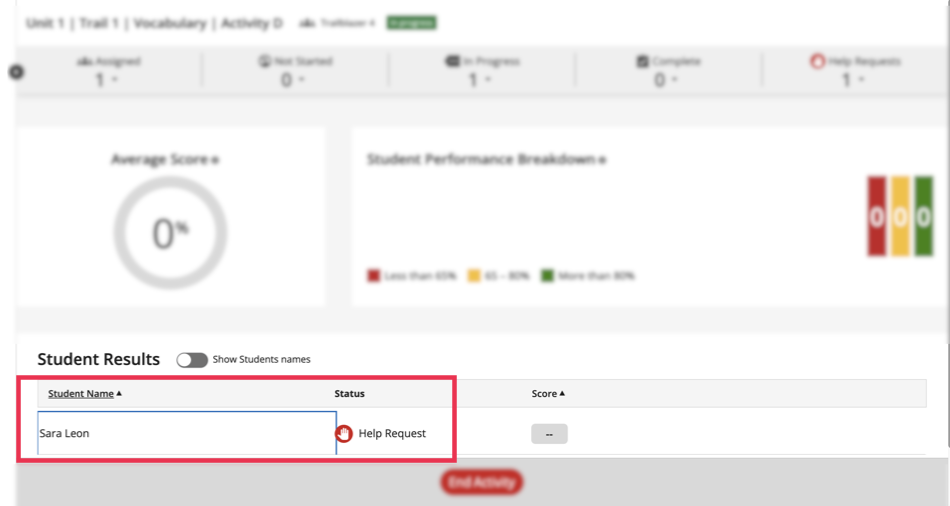
Optional: Students have the option to request help during the assignment. If a students
does request help, it will display under the student's
status column.
To end the activity, click End Activity at the bottom of
the in-progress report page.